A one-page AI policy for your classroom
Write the policy for your students, not about them: one page that sorts the tasks in your subject into allowed, ask first and not allowed, with a line in which a student says when they used a tool and what for. Here is the page in two versions — for students 13 and over, and for younger ones — and a 20-minute lesson to introduce it.
AI in our class
A free printable PDF, no sign-up.
- Definition
- Classroom AI policy: A page a teacher writes for their students, telling them in words they understand when and how to use AI tools in that subject, when not to, and how to say that they used one.
TeachAI's principles for AI guidance in schools say teachers should be clear about how and when students are expected to use or not use AI, and that students should be taught to cite any use of generative AI tools. MIT Sloan Teaching & Learning Technologies recommends announcing your policy both in person and in writing, with examples of acceptable and unacceptable use for specific tasks. The page below does that for one class and one subject.
The full page: a version for students aged 13 and over
The page was written for this post; it is a template to adapt to your subject. It speaks to the student directly, because the student is the one who will read it. Every line answers one question: who is doing the thinking here — you or the tool?
If the school's policy is stricter than this page, the school's policy applies. “Ask first” means ask me before you start the task, not after you hand it in. Do not use a tool whose makers set a minimum age above yours.
| Kind of task | ● Allowed | ▲ Ask first | ■ Not allowed |
|---|---|---|---|
| Understanding the lesson and revising | Asking for an idea you didn't understand to be explained, or for practice questions to test yourself | — | Handing in the tool's explanation as your own summary |
| Writing: an essay, a paragraph, a report | Asking for comments on a draft you wrote yourself | Ideas to start from, or correcting the language of a text you wrote | The tool writing the text or part of it, handed in under your name |
| Solving problems | Checking an answer you worked out yourself, and seeing where you went wrong | Asking for a hint on the one step where you got stuck | The tool doing the homework while you copy it out |
| Research and projects | Asking for suggestions of sources to look in | Using a fact from it once you have checked it in another source | Copying a fact from it that you have not checked |
| Reading and translation | Understanding a word or sentence in a text you are reading | Translating a whole paragraph to understand it | Handing in the tool's translation for a translation task |
| Tests and work marked in class | — | — | Any use, unless the test instructions say otherwise |
| Images and voices | — | An image for a project, saying a tool made it | An image or voice that imitates or demeans a real person |
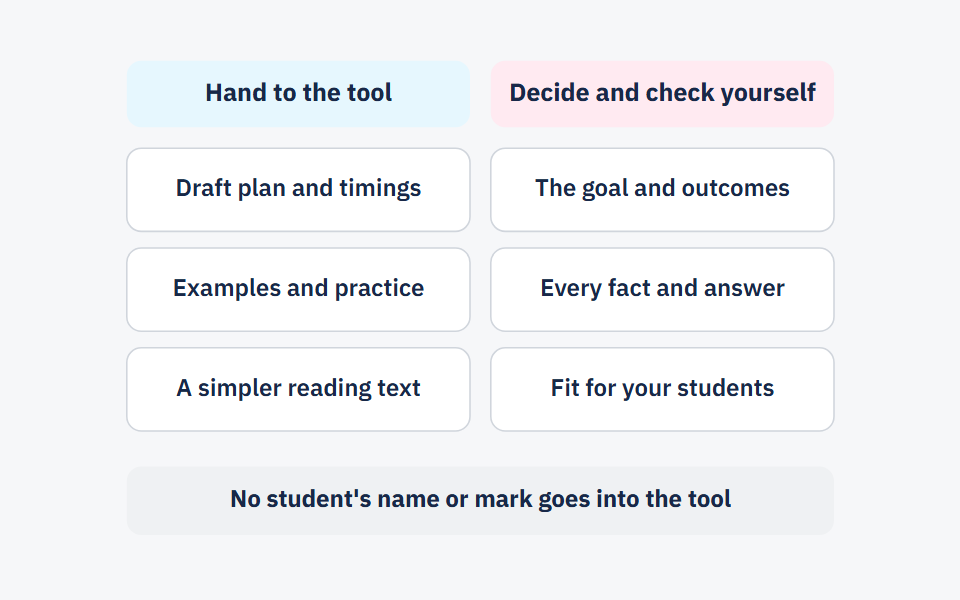
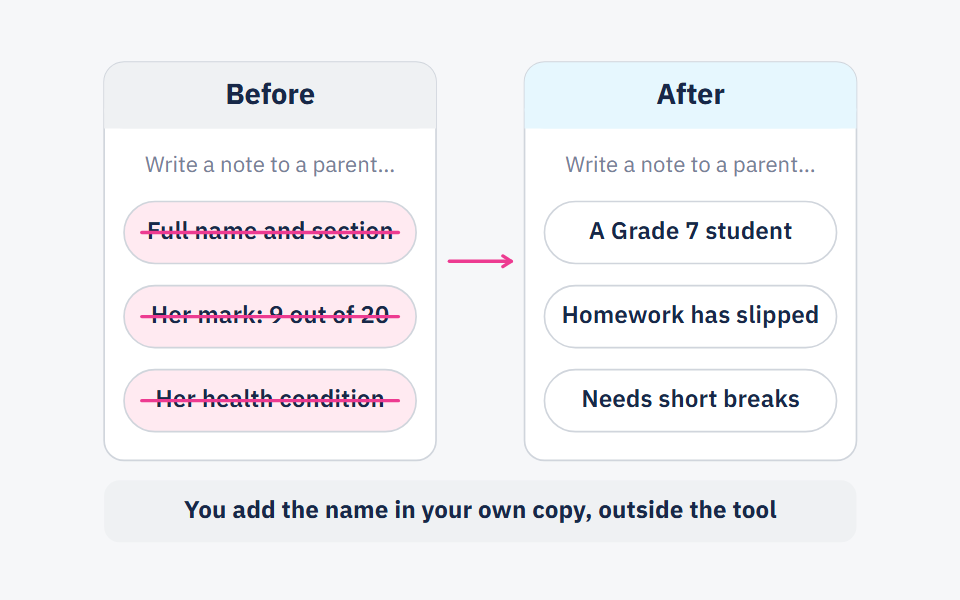
| Your data and other people's | — | — | Your full name, photo, phone number, school name, or anything about a classmate |
The disclosure line: if you used a tool for a task, write at the end of it: “I used [tool] for [what], and I wrote [what] myself.”
If you break the page: you redo the part the tool wrote, yourself, we talk, and then the school's policy applies. An honest disclosure line counts in your favour.
A version for students under 13
In September 2023, UNESCO's guidance on generative AI in education suggested considering an age limit of 13 for using these tools in the classroom, as reported by UN News. So in this version every use is led by the teacher or supervised by a parent, in short sentences a Grade 4 student can read. In a class with ages either side of 13, start with this version until you know your students' ages and the minimum age the tool sets.
| Group | What it means |
|---|---|
| ● Allowed | We use the tool together in class, when the teacher shows it on the screen. I suggest a question, and the teacher types it. Then we check together: was the tool right or wrong? |
| ▲ Ask first | Using a tool at home with a parent, on their device and their account. |
| ■ Not allowed | Making an account for myself. The tool writing or solving my homework. Typing my name, photo, address or school name into it. |
The disclosure line: “A tool helped me at home with [what].”
The disclosure line: ten seconds at the end of a task
The framework of the Sharjah Private Education Authority in the UAE calls for disclosure of AI use where appropriate, according to a Khaleej Times report published on 21 October 2026. We suggest making disclosure one line rather than a form, because a line gets written and a form gets skipped. The format:
Format: “I used [tool] for [what], and I wrote [what] myself.”
In maths: “I used an AI tool to explain percentages to me with another example, and I solved the four problems myself.”
In English: “I used an AI tool to point out the spelling mistakes in my draft, and I wrote the three paragraphs myself.”
What you do with the line matters more than the line. Take nothing off for an allowed use that was disclosed, or students will stop disclosing. When the line reveals a use that was not allowed, it is the start of a conversation with the student, not evidence for an accusation.
A 20-minute lesson to introduce the page
Do not hand out the page and read it aloud. Let students reach most of its lines themselves, then give them the page to compare with what they decided.
3 minutes: an opening question
Write on the board: “When does an AI tool help you learn, and when does it learn instead of you?” Every student writes one sentence, and you hear three.
7 minutes: sorting task cards in pairs
Give each pair nine cards, each with a task from your subject, such as “The tool explains an idea I didn't understand”, “The tool writes a paragraph I hand in”, “I ask for ideas for a project”. The pair sorts them into three piles: allowed, ask first, not allowed.
5 minutes: comparing with the page
Hand out the page. Each pair finds the cards they put in a different pile from the page, then discuss two of the disagreements as a class. If the class convinces you to change a line, change it and write the change on the page.
3 minutes: trying the disclosure line
Describe a task in which a student used a tool to correct the language of a paragraph, and ask every student to write the disclosure line for it.
2 minutes: the page goes in the notebook
Each student sticks the page in their notebook or writes down its link, and signs it. Tell them when you will review it together: we suggest once a term.
For the under-13 version, use six cards, and open the tool on the screen during the sorting so you can try one “allowed” card together, then check together what it wrote.
Under the school's policy, not instead of it
Your class page is a branch of the school's policy. If your school has one, copy its “not allowed” lines word for word, and make your page as strict or stricter, never looser. If it has none yet, write your page, give the school leadership a copy, and point them to a one-page school AI policy template, which has a section on what students may do by age and one on disclosure; your page sits under both.
Send the page home too, because homework is written there. If parents want rules of their own, there is a family agreement on AI and homework with the same three groups.
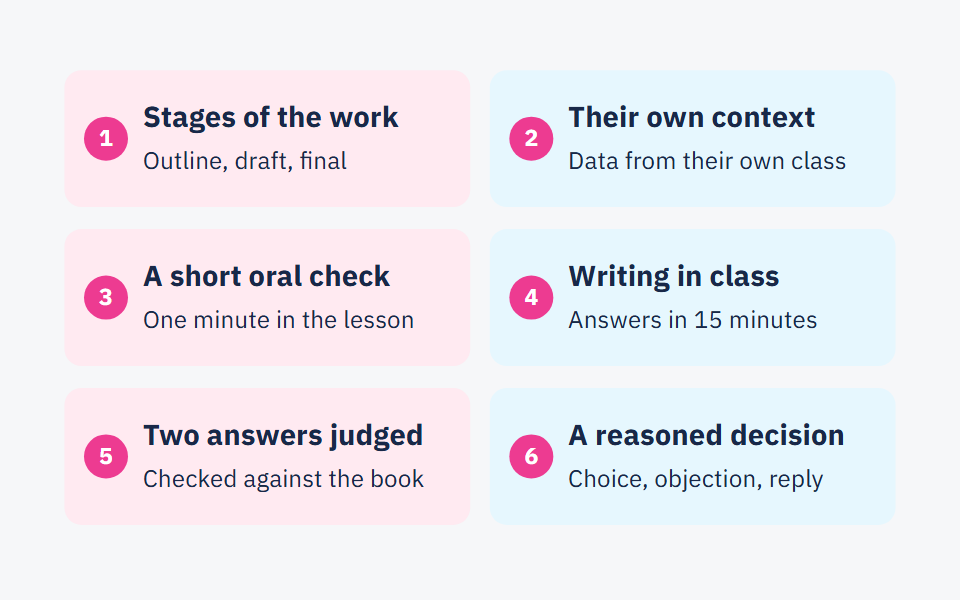
The page has a limit it cannot get past: on its own, it will not stop a student who wants to copy. What stops them is homework that needs their own thinking — explaining a step aloud, or writing part of an answer in class. Assignments that show real understanding has six common tasks redesigned for that.
Frequently asked questions
- Are students allowed to use AI for homework?
- The school's policy decides that first. Under this template, students aged 13 and over may use it in ways that help them understand — explaining an idea, checking an answer they worked out — but not to have the tool write or solve the homework.
- From what age can students use AI tools?
- UNESCO's guidance suggested considering 13 as the minimum age for classroom use, as reported by UN News. Every tool also sets a minimum age in its terms of use; read it before you allow the tool.
- What do I do if a student breaks the class AI policy?
- Start by asking them to explain what they handed in, in their own words. Then they redo the part the tool wrote themselves, and the school's policy applies after that.
- Do I write a page for each subject?
- One page per subject you teach, because the tasks differ: the translation line matters in languages, the problem-solving line in maths and science. The data and test lines stay the same on every page.
Sources
Every fact in this post that we did not produce ourselves comes from one of these sources.
- UNESCO calls for regulations on AI use in schools — UN News, 2023-09-07
- Principles for AI Guidance (AI Guidance for Schools Toolkit) — TeachAI, 2025
- AI Detectors Don't Work. Here's What to Do Instead. — MIT Sloan Teaching & Learning Technologies, Undated page (read 2026-10-22)
- Sharjah schools introduce new AI rules: What changes for homework and exams? (Nandini Sircar) — Khaleej Times, 2026-10-21
Written with String's editorial team: we use AI for research and first drafts, and a person checks every fact and every source before anything is published. How we write
Founder and CEO, String
“I grew up in a house of teachers.” I spent a year designing the STEM program for one of the largest school groups in Saudi Arabia, have written curriculum by hand, trained robotics coaches and sold software into schools, then left that job to build String in Amman.