Worksheets, quizzes and assignments
Three short formats for any lesson, ready to print
They differ in length and purpose, not in effort: name the lesson and print.
By the numbers
3
formats, one editor
23
question types
120
questions one sheet can hold
A4
the page it prints to
Three formats, and what each one holds
You pick the format by what it is for, not by what it costs. It costs the same.
A worksheet
- Exercises ordered from easier to harder
- Several kinds in one sheet: sorting, matching, true or false, short answer
- A line of instruction above each question and its mark beside it
- Ruled space to work under each question
- Short, usually — and as long as the lesson needs
- Handed out in the period and checked in it
- Opens as paper by default
A quiz
- Ten minutes at the start of a period or the end
- Mostly closed questions, which mark themselves
- A mark on each question and a total under the title
- Opens on a screen by default, prints if you want it to
- Forms A and B for a room with close-set desks
An assignment
- Longer questions, worked at home
- A multi-part question: a, b, c
- More room for the working
- Written instructions the student reads on their own
- Opens on a screen by default
What all three have in common
They are one document: a bank of questions and a way of handing it over.
One editor, not three
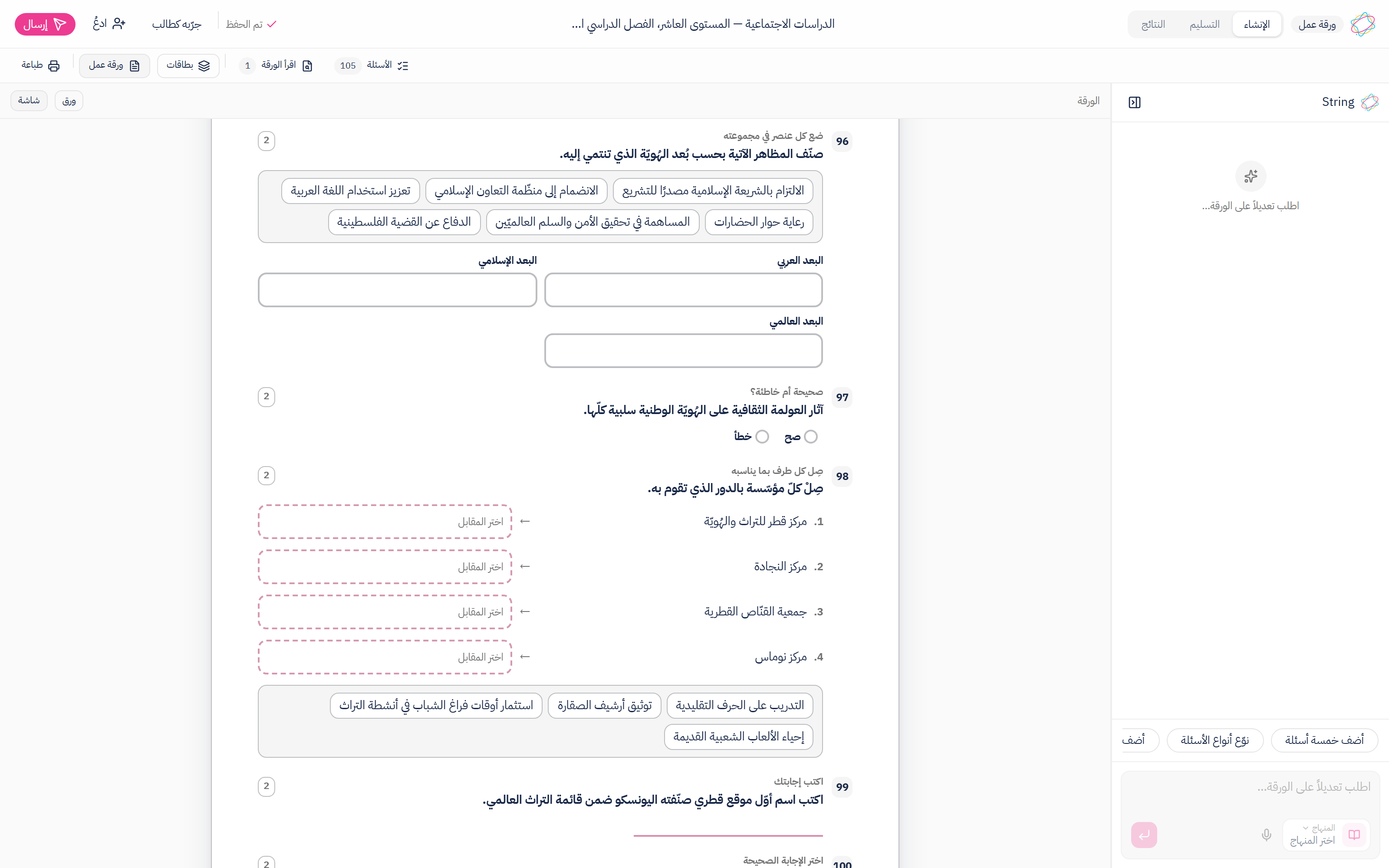
The same screen for all three: the String conversation on one side, the sheet at its real size on the other, and one switch that moves it between paper and screen. What changes is the default view, the instructions written at the top and the length you choose. You do not learn a new tool because you moved from a worksheet to an assignment.
Closed questions mark themselves
Sorting into named groups, matching two columns, true or false, choices, a number with its accepted range, orderings and tables all carry their correct answer, written with the question rather than after it, and they mark themselves the moment a student finishes them on a screen. Only a long written answer waits for you to read it, and the sheet tells you how many of those it holds before you print.
Paper or screen, same document
A real A4 page at 210 by 297 millimetres, paginated by measuring each question's height, with a warning when a question is taller than a page. It is one document either way: on a screen every blank becomes a field and every option a control, and on paper each of them becomes something a pen can use.
Arabic and English together
Every question, every option, every label on a figure and every line of instruction is written in both languages, and the page flips right-to-left or left-to-right with the one you print in. Numerals stay Western on both sides, the way every school paper prints them.
From today's lesson to a sheet in your hand
These are all of the steps. There is no hidden sixth.
- 1
Pick the format and name the lesson
Worksheet, quiz or assignment, then the grade, the subject and the lesson. Nothing to upload and nothing to paste.
- 2
Read the suggestions before they land
What String proposes waits in a list beside the sheet and joins it only when you say so. Keep them all, discard them all, or one at a time.
- 3
Edit on the sheet itself
Click a question and type over it, drag to reorder, add a figure the student answers on, edit the masthead where it prints. Or ask for the change in a sentence: “make question 3 easier”.
- 4
Print it, or open it on a screen
Printing comes out at the size you were looking at. If you want a screen instead, the same document becomes a form the student answers, with everything closed marked as they finish it.
A worksheet is not a small exam
The instructions written above a worksheet tell a student to try every question and that a mistake is not a problem. The ones written above an exam talk about a mark scheme and a clock. Those are the differences between the four formats that actually matter, and each is written on its own, because one paragraph that fits all four would have been wrong on three of them. The tools underneath are the same, and that is what it means to say the difference is in the purpose rather than in the effort.
Common questions
Read next
Exams
A paper in the real national-exam format, ready to print
Questions, figures, header and marks — on A4 exactly as your student will see them.
Reports
See who understood and who slipped, before the next lesson
One paper is enough: a map of the class skill by skill, the wrong idea your students share, and a written report for every one of them.