Presentations
You never start from a blank slide again
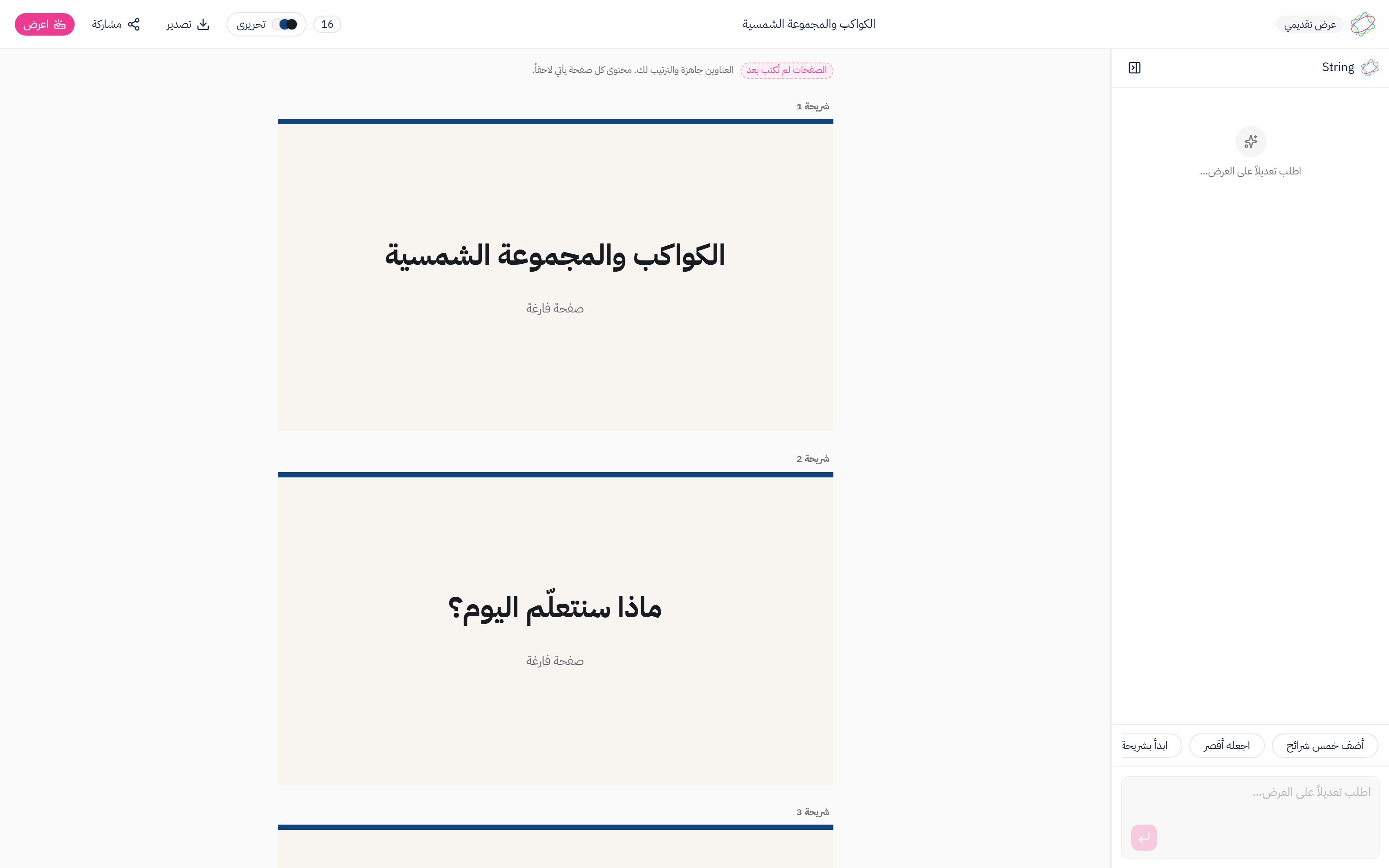
Write the topic in one line and a deck comes back ordered end to end: an opening, then the idea and its examples, then a recap at the close.
By the numbers
16
steps the outline walks, in order
24
the most slides one deck holds
9
looks a deck can wear
A4
one slide per landscape page
From the period's topic to a deck you stand in front of
Four steps, and the first one is optional.
- 1
Pick the curriculum, or skip it
The grade, the subject and the topic, then who the deck is for: a class with you in front of it, or a student at home on their own. Skip it and String reads the deck's own title instead.
- 2
Write the topic in one line
«Planets and the solar system» is enough. Then ask for the length in a plain sentence: «add five slides», or «start with an opening slide».
- 3
Keep what you like, discard the rest
Slides arrive as proposals and none enters the deck before you accept it. Rename one, split it in two, merge two into one, and drag to reorder.
- 4
Put it on the wall, or take it on paper
Present mode fills the screen with one slide and the arrow keys follow the reading direction. If the projector is dead, print it A4 landscape, one slide per sheet.
Why it reads as a deck, not a list of headings
A deck is an order before it is slides, and that is the one thing a random draw from a list cannot produce.
Order before quantity
Ask for three slides and you get an opener, the objectives and a definition, in that order. Ask for twelve and the examples and the comparison arrive too, with «what we learned» still last.
No heading appears twice
Even a deck filled to the cap repeats no heading. «Step by step» appearing twice is the clearest way a generated deck gives itself away, so here it cannot happen.
Nine looks, not nine colours
Each look changes the ground, the ink, the accent, the weight, the leading and the frame. The same look holds in Arabic and English, so a deck never becomes two decks depending on the language it opens in.
Nothing lands before you agree
Suggestions are shown where they would land so you judge them in place, and you keep the ones you want and discard the rest. The deck never changes behind your back.
The outline it walks
16 steps, in the same order every time. A short deck takes the first of them, a long one reaches the last, and the closing stays the closing.
From the opening to the close
- An introduction to the topic
- What we'll learn today
- Defining the core idea
- The parts it is made of
- A worked example
- A second example from everyday life
- Comparing two cases
- Common mistakes
- Practise it yourself
- A question to discuss
- Where we use it
- What the numbers say
- Step by step
- A quick review
- In summary
- Where we go next
What you can do to any slide
- Rename it with a clearer heading
- Split it into two
- Merge it with the one after it
- Move it to the end of the deck
- Duplicate it
- Delete it
- Drag it to a new position
Where the deck ends up
On the classroom wall
One slide filling the screen, a tick per slide along the top telling you where you are, and a counter in the corner. Space or the arrow keys move you.
On A4 paper
One slide per sheet, landscape, in the look you chose. You save it from the same print window you already know.
In Arabic and in English
The deck follows the reading direction, down to the arrow keys: an Arabic deck advances leftward because that is the way its reader is already travelling.
Reorderable to the last minute
The last period ran long? Drag two slides to the end on your way in, and nothing else moves.
The outline arrives finished. The pages you write
The deck says this above the slides rather than in a footnote: the headings are there, the order is yours, and what each page says comes from you. We repeat it here because the ordering is the part that eats your evening every time, and that part is done — and a teacher who discovers the rest while standing in front of a class will not believe another line we write.
Common questions
Read next
String — Interactive Lessons
You describe the lesson. Your student plays it
Not a sheet to print and not a video to watch. It is an activity your student walks through one screen at a time, and every answer is marked the moment it is given.
Stories
A story a child gets to the end of
Pick a lesson and it comes back as a story: large-print pages, written in Arabic and English at once, read on screen and printed the way a book opens.
Write your topic
One line is enough for a first deck, and judging it is entirely yours.