Lesson prep with AI: what to hand over and what to check yourself
Hand the tool what repeats and is quick to check: the draft plan, worked examples, practice problems, a simpler version of a text. Keep the goal, the accuracy of every fact and answer, and the fit for your students — and never put a student's name or mark in a prompt.
Before you print: checking a draft an AI tool wrote
A free printable PDF, no sign-up.
What to hand over, and what stays with you
The rule is simple: hand the tool what you can check quickly, and keep what the tool cannot know: your curriculum, your class, your students. The table applies that rule to the usual parts of lesson prep.
| Part of prep | What the tool drafts well | What you decide or check |
|---|---|---|
| Goal | Other wordings of a goal you wrote | The goal itself: take it from your curriculum's learning outcomes, not from the tool |
| Plan and timings | A draft with the parts of the lesson and minutes for each | That the minutes add up to your lesson, and the order suits your class |
| Worked examples | Graded examples with numbered steps | Solve every one yourself — a tool can get an answer wrong and present it as right |
| Practice problems | Many problems at two or three levels | The level of each one, and that it is not one problem repeated with new numbers |
| Simplifying a reading text | The same text in shorter sentences and easier words | That the meaning has not changed and the curriculum's terms are intact |
| Likely mistakes | A list of common errors on the topic | Which ones your students actually make, from marking their work |
| Exit ticket | Several candidate questions | The one question that measures your goal and nothing else |
| Anything about one student | Nothing | Everything: marks, comments, messages home. No name or mark goes into the tool |
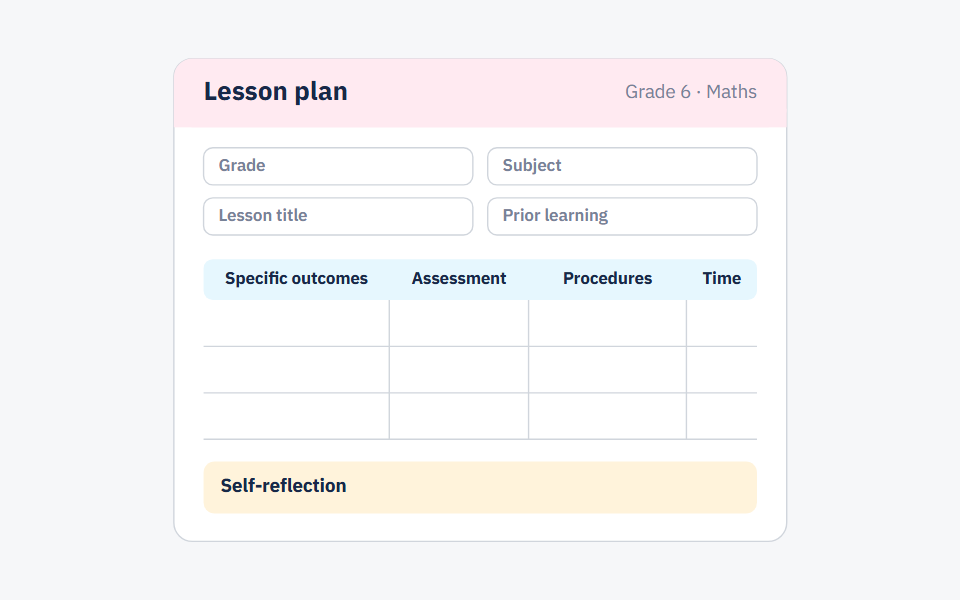
If you want the shape of the plan you are checking the draft against, here is a one-page lesson plan template with its six fields and a full maths example.
Six prompts to copy and fill in
Fill in the square brackets. Each prompt asks for one part of the prep, because a short draft is faster to check than a whole lesson written in one go. (In the Arabic version of this post the prompts are written in formal Arabic, for teachers who want the draft in Arabic.)
1. Draft plan: Write a draft plan for a [45]-minute [maths] lesson for Grade [6] on [adding fractions with unlike denominators]. The goal: [students add two fractions with different denominators]. Split the lesson into review, a worked example, guided practice, independent practice and an exit ticket, and give each part its minutes, with a total of no more than [45]. There are [35] students and [no projector].
2. Worked examples: Write [three] worked examples on [topic] for Grade [7] students, with numbered steps, from easiest to hardest. After each one, name one common mistake students make at one of its steps.
3. Practice at two levels: Write [eight] practice problems on [topic]: [six] core problems like the worked example and [two] harder ones for early finishers. Put the answers in a separate list at the end.
4. A simpler text: Rewrite the text below for Grade [4] students in shorter sentences and easier words, without removing any information, and keep these terms exactly as they are: [terms]. Text: [paste the text here].
5. Likely mistakes: What are the three most common mistakes Grade [5] students make in [topic]? For each, write a short question I can ask during the lesson that reveals it, and say how a student's answer would show the mistake.
6. Exit ticket: Suggest [three] exit-ticket questions that measure this goal and nothing else: [goal]. A student answers in two minutes on a slip of paper. After each question, say what a wrong answer tells me.
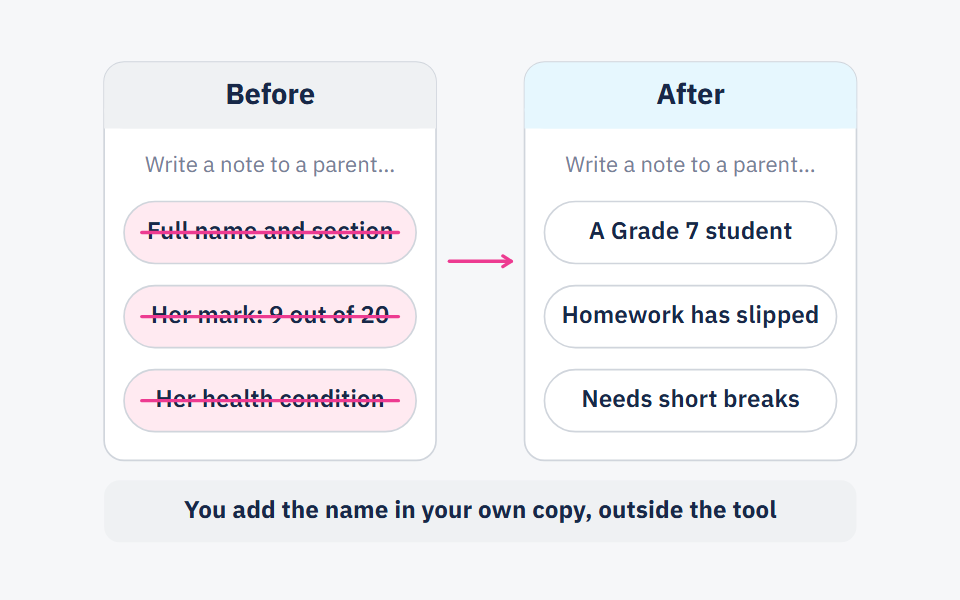
None of these prompts needs a student's name. If you need to describe your class, describe it in numbers and levels, not names; seven rules for student data shows how, with before-and-after prompts.
The steps: from the goal to a sheet you can teach from
Write the goal before you open the tool
Take it from your curriculum's outcomes for the lesson, and write it with a verb you can see on paper: add, compare, write. Ask the tool for a goal and you get a generic one that has never seen your textbook.
Give the tool what it cannot know
The grade, the subject, the lesson length, what students have already learned, and your constraints: class size, whether there is a projector, how many pages you can print. Every constraint in the prompt is an edit you will not have to make later.
Ask for one part at a time
The plan first, then the examples, then the practice. A short draft takes minutes to check; a whole lesson in one answer hides its mistakes between the lines.
Solve every problem and read every line
Use the checklist in the next section. This step does not get shortened: anything that goes into your class under your name is something you have checked yourself.
Put the draft into your own words and form
Edit it until it sounds like the way you explain things, then copy it into the form your school asks for. Save the prompts that worked so you can reuse them for the next lesson.
The review checklist: five questions before you print
UNESCO's guidance on generative AI in education (reported by UN News, September 2023) stresses that educational institutions should validate these tools before students use them, and UNESCO's page on the guidance notes that educational institutions are largely unprepared to do so. Until your school has done it, checking what the tool writes is your job. The checklist has five questions: facts, level, curriculum fit, bias and student data.
Before you print the draft
- Facts: I checked every definition, date and number against the textbook or a reliable source.
- Facts: I solved every problem myself, and my answer matches the one written.
- Level: The words and sentences suit my class, and the task fits the time it has.
- Level: The practice has at least two levels, and the harder one is actually harder, not just longer.
- Curriculum: The terms, notation and methods are the ones our textbook uses, and no problem runs ahead of what students have learned.
- Curriculum: The exit-ticket question measures the goal I wrote, not a goal close to it.
- Bias: Names and roles in the problems vary, and no group of people is drawn one way only.
- Bias: The examples come from my students' lives and surroundings, not from a country they do not know.
- Student data: I put no student's name, mark, health or family detail in the prompt.
- Student data: Anything about one student, I add in my own copy, outside the tool.
What the surveys say, and when the tool saves nothing
The figures below come from US surveys, and they are what teachers report about themselves, not measured hours. In a Gallup survey with the Walton Family Foundation of 2,232 US public school teachers, reported by The 74 in July 2025, 60% had used AI tools in the 2024–25 school year, and 37% used them at least monthly to prepare to teach — worksheets, adapting materials, assessments. Weekly users said the tools saved them almost six hours a week.
In a newer survey by the same two organisations, published on 14 October 2026, 59% of 1,952 US K-12 educators said they had used AI tools in 2025–26. Of those, 64% said it gave them more time (13% a lot more, 51% somewhat more), 29% said it made no difference, and 7% said it cost them time.
So we will not promise you hours. The tool saves nothing in three cases: when the topic is one you do not know well, so you cannot check the draft quickly; when the lesson rests on a local textbook the tool does not know, so you rewrite half the draft; and when you ask for a whole lesson in one prompt and spend longer correcting it than you would have spent writing it. The fix is the same in all three: hand over the parts you can check in minutes, and write the rest yourself.
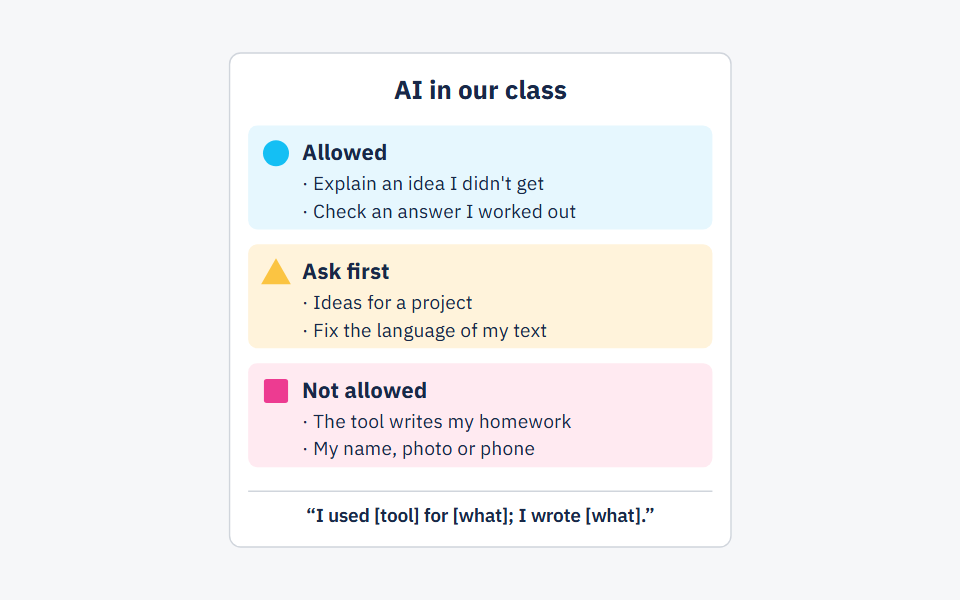
Many teachers make these calls alone. In another Gallup and Walton survey, only 18% of US teachers said their school or district had given them formal guidance on AI (May 2026). If your school has no policy yet, start with one for your own class: a one-page AI policy your students read.
Frequently asked questions
- What is the best AI tool for lesson planning?
- There is no single best tool for every teacher. Run the same prompt from this post in two tools and compare the quality of the language, the accuracy of the answers, how easy it is to edit and print, and what the privacy terms say about what you type.
- Can AI write my whole lesson plan for me?
- It will write a full draft if you ask, but it is not your plan until you have written the goal yourself, solved every problem in it and adapted it to your class. Asking for it one part at a time is usually faster.
- Should I write prompts in Arabic or in English?
- Write in the language you want the draft in, and if it is Arabic, ask for formal Arabic explicitly. Then check the language itself: spelling, the terms as your textbook writes them, and the numbers.
- Can I put my students' names in a prompt?
- No. Describe the student by role or level, and add the name in your own copy once you are out of the tool. The details are in seven rules for student data.
Sources
Every fact in this post that we did not produce ourselves comes from one of these sources.
- Teachers Using AI Say It Frees Up Time for What Matters Most (Megan Brenan) — Gallup (with the Walton Family Foundation), 2026-10-14
- Survey: 60% of Teachers Used AI This Year and Saved up to 6 Hours of Work a Week — The 74, 2025-07-08
- Most teachers get little formal guidance on AI use in classrooms, Gallup finds — Finger Lakes 1, 2026-05-28
- Guidance for generative AI in education and research — UNESCO, 2023-09-07 (last updated 2026-01-16)
- UNESCO calls for regulations on AI use in schools — UN News, 2023-09-07
Written with String's editorial team: we use AI for research and first drafts, and a person checks every fact and every source before anything is published. How we write
Founder and CEO, String
“I grew up in a house of teachers.” I spent a year designing the STEM program for one of the largest school groups in Saudi Arabia, have written curriculum by hand, trained robotics coaches and sold software into schools, then left that job to build String in Amman.