One platform or many tools: how a school decides
Choose one platform when your problem is scattered data, too many logins and little time for training; keep several tools when a subject or stage needs depth no single platform gives and you have people to review each tool. Between the two is a third way: one platform for records and accounts, and a few specialist tools, each with an owner and a review date.
Decision table: one platform or many tools
A free printable PDF, no sign-up.
This comparison is for the school owner or principal looking at a list of the tools their teachers use, or at a demo of a platform that promises to replace them all. The question is not which way is better, but which one fits your school now. We name no product here; the criteria are what still hold when the names change.
The question comes up in edtech buying too. An EdSurge article sponsored by ISTE (June 2024), which describes The Decision Lab's 2022 study of more than 225 edtech decision-makers in US school districts, says in its own analysis, not as a finding of the study, that districts oftentimes have more edtech products than is optimal and would be better served by reducing the number they have. The article recommends using engagement data from existing products to find the tools that are redundant or underused. But cutting is not a decision on its own: by settling for one platform, a school can lose depth it needed.
- Definition
- One platform or many tools: One platform is a system in which a school does most of its daily work with one account per person and one record per student; many tools means choosing a separate specialist tool for each job, each with its own accounts and data.
Seven criteria that settle the comparison
We chose criteria that leadership and teachers feel every week, not a feature list. Each row of the table gives the honest case for both sides, and the question that settles it for your school.
| Criterion | One platform | Many tools | The question to ask |
|---|---|---|---|
| Data in one place | One record per student; what is entered in one part reaches the rest without copying | Each tool keeps its own data; linking them is manual or needs an integration someone maintains | How many times a week is the same number copied by hand from one place to another? |
| Accounts and passwords | One account for each teacher, student and parent | One account per tool, unless the school connects them through single sign-on | How many accounts does a Grade 4 student need to get through a week's homework? |
| Training load | One interface everyone learns, and one induction for a new teacher | Training for every tool, repeated whenever a teacher joins or a tool changes | Who trains the teacher who joins mid-year, and on how many tools? |
| Depth of each tool | May be shallower for a specialist job than a tool built for that job alone | As deep as it gets for each job, because each tool was chosen for it | Which job in your school needs depth a general platform does not give? |
| Privacy review | One full review of one provider that holds a lot of data | A review of every provider that receives student data, repeated with every new tool | How many full reviews can the school carry out in a year? |
| Cost of switching | High: if you leave the platform, everything moves at once | Low per tool: you can replace one without touching the rest | If we wanted to leave in two years, what would move, and how long would it take? |
| When a tool closes or changes its terms | It hits everything at once, so you need a contract that sets out data export | It hits one job, but the odds grow with every tool, and its data can be lost if not exported | For each tool: where does our data go if it closes tomorrow? |
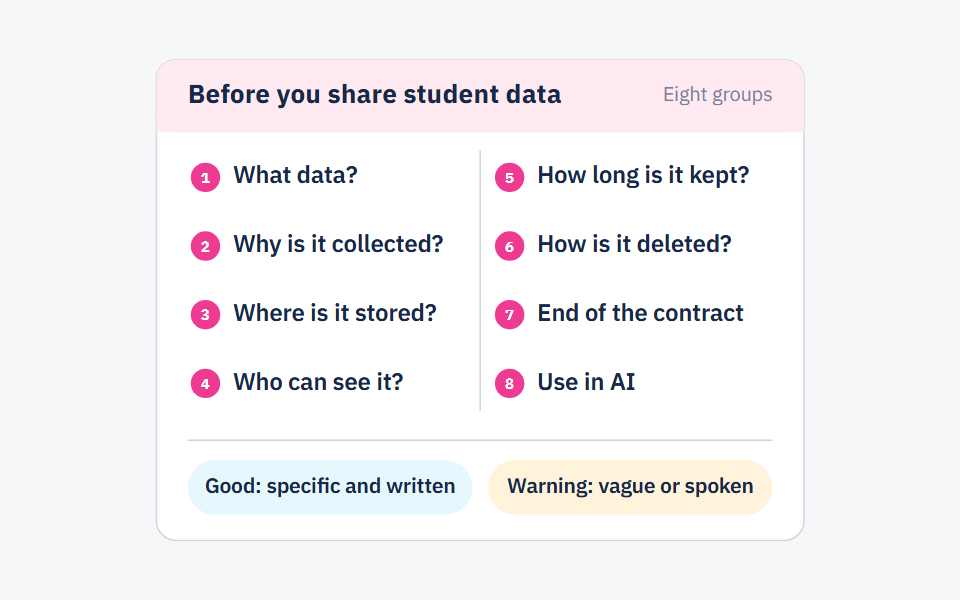
The fifth criterion is heavier than it looks. CoSN's Privacy Questions for Service Providers, from the US association of K-12 edtech leaders, starts with understanding each provider's privacy and security practices before student data is shared with it, and ends by asking when that data will be securely destroyed. Those questions are asked of every tool, not once for the whole school. You will find them written out in questions every school should ask a platform before sharing student data.
When one platform wins
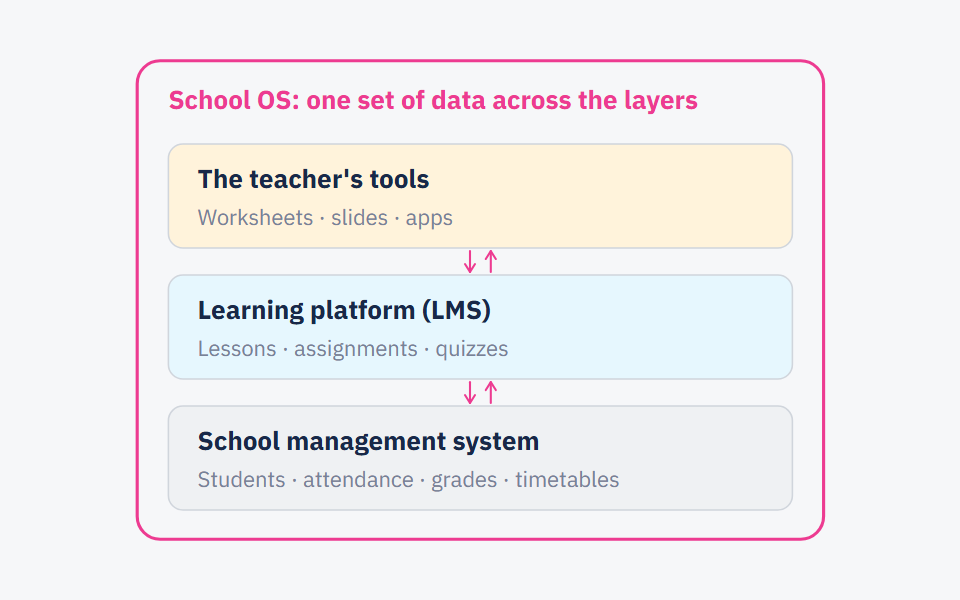
- When the same number is copied by hand more than once. For example, a mark recorded in one tool, typed into the school system, then sent home in a message. Every copy is lost time and a chance for an error. The journey of one mark between systems is in school management system, LMS and school OS: what each one does.
- When students are young. Every extra account is another password a Grade 2 student may forget, and a parent who calls about it.
- When staff turnover is high. A teacher who joins mid-year learns one interface, not five.
- When nobody in the school can review every tool. One full review is worth more than five half-done ones.
- When you want one picture of each student. Attendance, marks, homework and messages to families in one record that the teacher, the counsellor and the office all see.
When many tools win
- When a subject or stage needs real depth. A levelled reading programme, an interactive maths tool or a virtual science lab may go further in its own job than a general platform does.
- When the current tools work and teachers really use them. Moving what works onto a new platform is a real cost, and teachers pay it first. If you do decide to move, the first 30 days plan eases that cost.
- When you have a technical team that reviews and connects. A school with someone to review every tool's privacy and to connect the tools through single sign-on removes the two biggest drawbacks of many tools.
- When you want to stay free to switch. A tool that does not work is replaced on its own, without anything else stopping.
How to decide: five questions for your school
List every tool in use today
Who uses it, how often each week, what student data reaches it, and who approved it. Ask the teachers themselves; you may find tools on the list that never went through the office.
Follow one number from start to finish
One quiz mark, for example: where it is first written, how many times it is copied, and when it reaches the parent. Every manual copy is an argument for one platform.
Name the jobs that need depth
For each specialist tool, write the job it does that nothing else does. If you cannot write it in one sentence, the tool is a candidate to go.
Count the reviews you can manage
How many tools can the school review fully each year, with written questions rather than impressions? That number is the ceiling on how many tools receive student data.
Write an exit plan for each tool
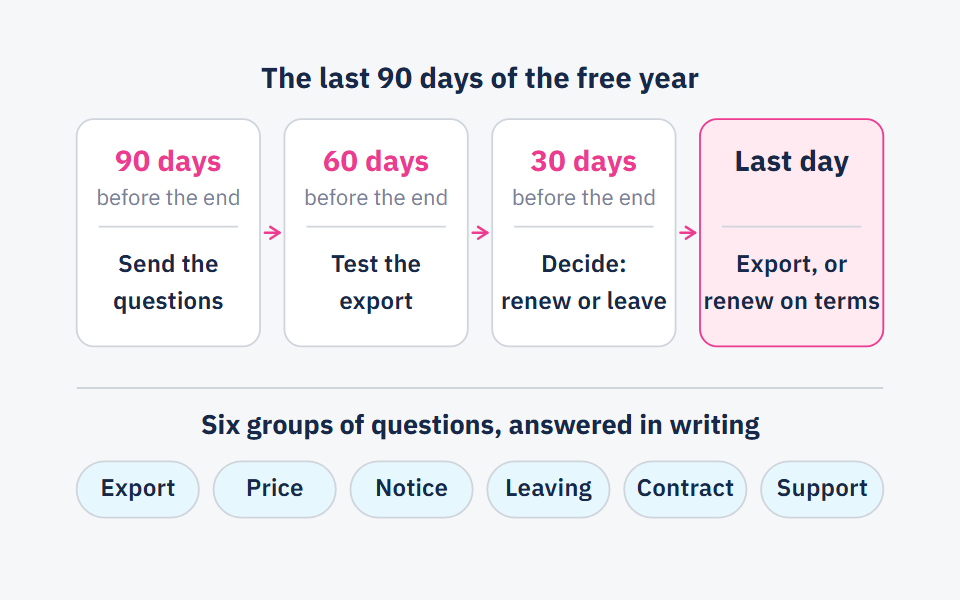
If it closes tomorrow, its free year ends or its terms change: what you export, and where to. The questions to ask beforehand are in what to ask before the free first year of any platform ends.
Then read your answers together. If manual copies are many and the reviews you can manage are few, one platform is closer to what your school needs. If some jobs can only be done by particular tools, and you have people to review and connect them, many tools are worth their cost. If both are true, which is what we expect in most schools, take the third way below.
The third way: one core and a small shelf
The decision does not have to be all or nothing. In this approach, one platform carries what must stay in one place, and a few tools sit beside it for the jobs that need depth.
- In the core: accounts for teachers, students and parents; the student record of attendance and marks; and communication with families. These should not be spread across several places.
- On the shelf: specialist tools, each with its job written in one sentence, a teacher responsible for it, a written data review and a yearly review date. We suggest keeping the shelf short enough that you know everything on it without opening a file.
- The entry rule: a new tool comes in only when another goes out, or when it proves a job the core cannot do. The EEF's guide to implementation in schools (December 2019) notes that reviewing and stopping some existing practices may be needed before new ones are delivered, and that stopping deserves the same care as starting.
- The yearly review: at the end of each year, read the usage data for every tool on the shelf, as the EdSurge article recommends, and remove what is little used or duplicates another tool's job.
And the whole comparison fails when the problem is not the tools at all. If the school has not agreed when marks are entered and who sends them home, neither one platform nor ten tools will fix that.
Frequently asked questions
- What is an all-in-one school platform?
- A platform in which a school does most of its daily work with one account per person and one record per student: attendance, marks, homework and messages to families. The term is used loosely in demos, so ask each company which of these jobs its platform really does, and which needs another tool.
- Is one platform cheaper than several tools?
- There is no general answer. Compare the full cost, not the subscription alone: training hours, time spent copying between systems, time spent reviewing each tool's data, and the cost of leaving in a few years. Measure teachers' time before and after the decision, as in how to measure the teacher time a tool really saves.
- How do I find out how many tools our teachers use?
- Ask them with a two-question survey: which tools did you use with students this term, and do students log in to them with an account? Then put next to it the list of subscriptions the school pays for. The difference between the two lists is what never went through the office.
- What happens to student data if a tool shuts down?
- The contract or terms of use decide it, so read them before you start: can the school export the data, in what format, and when is it deleted. CoSN's question list asks outright when the data will be securely destroyed.
Sources
Every fact in this post that we did not produce ourselves comes from one of these sources.
- How District Leaders Make Edtech Purchasing Decisions (Caitlin McLemore and Jayden Rae) — EdSurge, 2024-06-24
- Privacy Questions for Service Providers (CoSN Student Data Privacy Initiative) — CoSN, the Consortium for School Networking, 2024-05
- Putting Evidence to Work: A School's Guide to Implementation, second edition (Jonathan Sharples, Bianca Albers, Stephen Fraser and Stuart Kime) — Education Endowment Foundation (EEF), 2019-12
Written with String's editorial team: we use AI for research and first drafts, and a person checks every fact and every source before anything is published. How we write
Founder and CEO, String
“I grew up in a house of teachers.” I spent a year designing the STEM program for one of the largest school groups in Saudi Arabia, have written curriculum by hand, trained robotics coaches and sold software into schools, then left that job to build String in Amman.