School management system, LMS and school OS: what each one does
A school management system keeps the school's records, a learning platform carries the work of the class, and a school OS is a layer that links both to the teachers' tools through one set of data. Which one your school needs depends on where time is lost today: in the records, in the class, or in moving between them.
School management system, LMS and school OS — a reference card
A free printable PDF, no sign-up.
This page is for the principal or owner who is being shown a new “system” and cannot tell from the demo what kind of system it is. The three names get used as if they were one thing, yet each solves a different problem. Here is what each does and does not do, a drawing of where it sits in a school, and the questions that tell you what you need before you sit through any demo.
- Definition
- The difference between a school management system, an LMS and a school OS: A school management system runs student data and the school's official records, a learning platform (LMS) runs courses, lessons and assignments inside the class, and a school OS is a layer that joins the two to the teachers' tools in one system with one set of data.
Three layers, and a frame that links them
Every school runs three layers of systems, even when one of them is a paper register. The drawing at the top of the page stacks them, because each layer rests on the one below it.
- Records: the school management system. Also called a student information system (SIS). Wikipedia describes it as a management information system that education establishments use to manage student data; its jobs include registering students in courses, documenting grades and transcripts, building schedules, tracking attendance, generating reports, and supporting communication between students, parents, teachers and the administration.
- The class: the learning platform. Also called a learning management system, or LMS. Wikipedia describes it as software for the administration, documentation, tracking and delivery of educational courses. In it, a teacher organises courses and modules, posts content, sets assignments and tests that students submit online, and tracks their progress.
- The teacher's tools. Everything a teacher makes material with or runs a lesson with: a worksheet tool, a slides tool, a quick-quiz app, an AI tool. This is the most crowded layer, and teachers may pick some of these tools themselves without going through the office.
- The frame: the school OS. The newest of the three names, and we know of no agreed definition. Here we mean a layer that brings the rest into one system: one account for each person and one record for each student, so what is recorded in one layer reaches the others without anyone carrying it across by hand. Such a layer may replace some systems, or run on top of them.
A note: this page comes from String, and String OS is a school OS that works across a school's apps; that is why the comparison is built on what each kind does, not on company names.
What each system does, and what it does not
| System | What it does | What it usually does not do | Who relies on it most |
|---|---|---|---|
| School management system | Keeps student data, enrolment, attendance, grades and timetables; issues report cards and reports | Holds no lessons or assignments, and cannot see what happens in the lesson | The office and the registrar, and teachers when they enter attendance and grades |
| Learning platform (LMS) | Organises courses, content, assignments and quizzes, and tracks students' progress in them | Does not run official enrolment, timetables or report cards, and knows only what is entered into it | Teachers and students |
| Teacher's tools | Make the material: a worksheet, a slide deck, a quick quiz | Keep no student record; what they produce stays in them or is copied into the platform | Usually the teacher alone |
| School OS | Links the three layers with one account and one record, so information moves between them without copying | Does not decide what the school measures, and if it runs on top of existing systems it is no more accurate than their data | The office, teachers and parents together |
The table describes kinds, not products. Some school management systems add assignments, and some learning platforms add attendance. So do not stop at “do you have this feature?” Ask where the data is kept, who enters it first, and where it goes next.
An example that shows the difference: one mark's journey
Follow the mark from one short quiz, from the moment the quiz is written to the moment a parent sees the result. This is a general path that many schools share, not a description of any one school.
In a school whose systems are not linked, the mark is copied by hand three times: from the teacher's tool to the platform, from the platform to the report card, and from the report card to the message home. Each copy is time charged to someone, and a chance to get a number wrong. In a school whose systems are linked, the mark moves on its own and the teacher only has to check it. The question the example raises is not “which system is best?” but “where is the same information being copied by hand today?”
Three common mistakes when a school chooses a system
- Treating “learning platform” as the name of one kind of thing. It can mean a content library, a full LMS, or an app for one subject. Ask: what does this platform keep about a student, and who enters it?
- Buying a new system for a linking problem. If teachers copy grades from one place to another, the problem is usually the link between two systems you already have, not a missing system. Ask each system what it takes from the others, what it gives them, and how.
- Adding a tool before counting what you have. In a 2022 study by The Decision Lab of more than 225 edtech decision-makers in US school districts, reported by EdSurge in June 2024, one barrier at the first stage was that districts often have more edtech products than is optimal; one suggested fix was to use engagement data to find redundant or underused tools.
Six questions that tell you what your school needs
Answer these with your team before any demo. Each “yes” points to a layer, or to a missing link between two layers.
| The question | If the answer is yes |
|---|---|
| Are grades and attendance recorded on paper today, or in a separate spreadsheet for each teacher? | Start with a school management system; the official record is the base for everything above it. |
| Do students need one place to find lessons and assignments, and to hand in their work? | You need a learning platform, or a system that does its job. |
| Is the same information, a grade or an absence, written in more than one place? | The problem is the link. Ask about a layer that links the systems, or a direct link between the ones you have. |
| Does a teacher need a different account for each tool used on an ordinary day? | Same answer: one account and one record save effort for teachers and the office alike. |
| Do parents ask about their children's grades and absences before the school tells them? | What reaches parents comes from the record; ask how it gets to them without copying. |
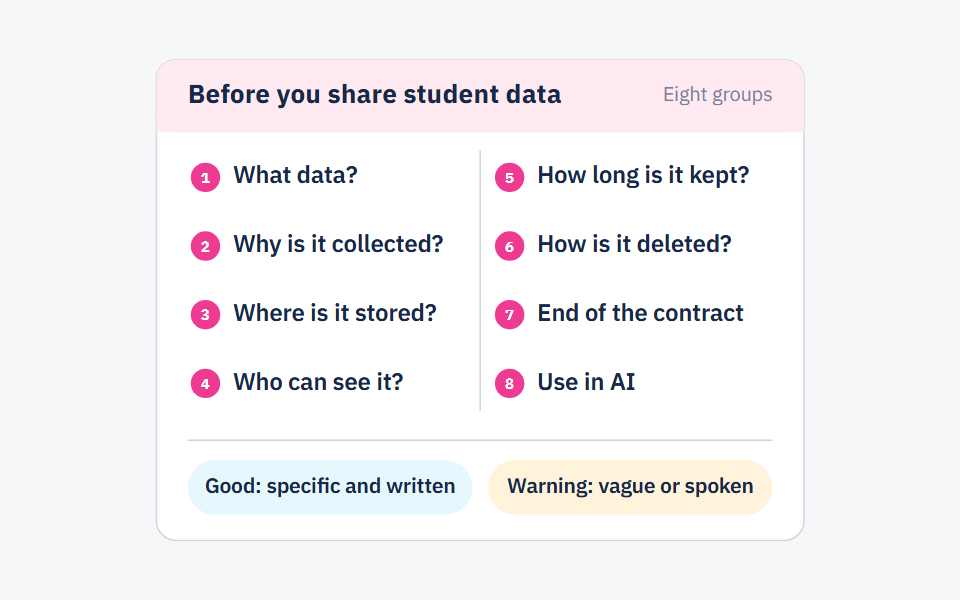
| Are you unsure what happens to your data if you leave one of these systems? | Read the questions to ask a platform before sharing student data before you sign anything. |
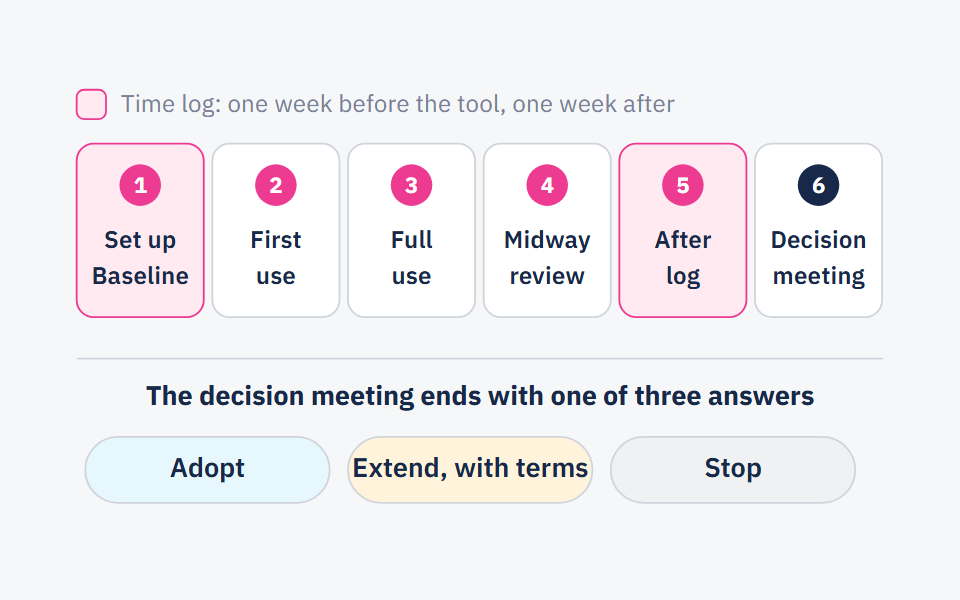
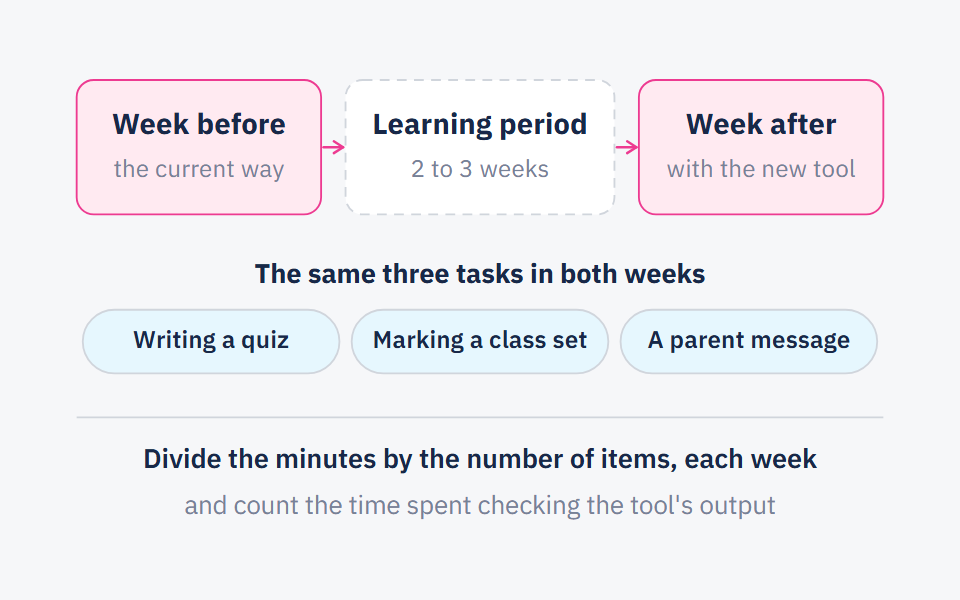
Once you are down to one or two systems, do not buy straight after the demo. Try the system in a few classes with a six-week pilot plan, and use the pilot to measure the time it saves your teachers instead of assuming it.
Frequently asked questions
- What is a school management system?
- Software that keeps a school's records: student data and enrolment, attendance, grades, timetables, report cards and reports. It is also called a student information system, or SIS.
- Can an LMS replace a student information system?
- Usually not. An LMS runs the work of the class, while the official record — enrolment, timetables, report cards — belongs in the school management system. Some systems do both, so ask about each job by name.
- What is the difference between a learning platform and an LMS?
- “Learning platform” is a broad label that can mean a content library or an app for one subject. An LMS has set jobs: courses, content, assignments, quizzes and progress tracking.
- Does a small school need all three?
- It needs their jobs, not three products: an official record, a place for the class's work, and tools for teachers. The fewer places the same information is written, the less work and the fewer mistakes.
Sources
Every fact in this post that we did not produce ourselves comes from one of these sources.
- Student information system — Wikipedia, 2026-10-10 (last edited)
- Learning management system — Wikipedia, 2026-10-01 (last edited)
- How District Leaders Make Edtech Purchasing Decisions (Caitlin McLemore and Jayden Rae) — EdSurge, 2024-06-24
Written with String's editorial team: we use AI for research and first drafts, and a person checks every fact and every source before anything is published. How we write
Founder and CEO, String
“I grew up in a house of teachers.” I spent a year designing the STEM program for one of the largest school groups in Saudi Arabia, have written curriculum by hand, trained robotics coaches and sold software into schools, then left that job to build String in Amman.