Print less: worksheets that work on a screen or one shared copy
Before you print forty copies, ask whether students will write on the sheet itself. If not, one copy or a screen will do in the five formats below, each with its set-up and minutes; a printed sheet still wins when practice needs writing room, when students have no devices, and for exams.
Print less — five worksheet formats
A free printable PDF, no sign-up.
A worksheet is usually printed one per student, because it carries both the questions and the space for answers. But on many worksheets students do not need to write on the sheet at all: they need to see the question, then write the answer in a notebook or on a mini whiteboard. Separate the questions from the answer space, and one copy or a screen serves the whole class. Here are five ways to do it, each with its set-up and minutes, and then the cases where a printed sheet is still the better choice.
Five formats, and the copies each one needs
The figure at the top of the page shows the five formats with the copies each needs for a class of 40. The copy counts are simple arithmetic: groups of four mean 10 sheets, and four tasks at two tables each mean 8 cards. The minutes are our estimate for a 45-minute lesson, not a research finding; adjust them to your class.
| Format | Copies, class of 40 | Set-up | Minutes in class | Fits |
|---|---|---|---|---|
| 1. Projected task with mini whiteboards | None | 2 minutes: one question per slide, in large type | 10 | Short questions answered with a word, a number or a step |
| 2. One sheet per group, with roles | 10 (groups of four) | 5 minutes: roles written on the sheet | 15 | A long problem, a text, or an experiment that needs discussion |
| 3. Stations, one copy each | 8 cards, reused with every class | About 20 minutes the first time, then none | 31 | Unit review, or four skills in one lesson |
| 4. A link or QR code on a shared device | None, or one sheet for the code | 10 minutes: test the link on a school device | 15 | Practice that marks some answers itself, a simulation, or audio |
| 5. A routine on the board | None | 3 minutes before the lesson | 5 | Review at the start of the lesson |
The five formats, step by step
1. A projected task, answered on a mini whiteboard or in the notebook
Project one question at a time in large type, give students a set time, then everyone holds up a board or a notebook. This is one of the ways Barak Rosenshine lists in “Principles of Instruction” (American Educator, Spring 2012) to involve all students in answering: each one writes the answer on a card and holds it up. “Classroom Assessment: Minute by Minute, Day by Day” (November 2005) describes the same move with individual dry-erase boards, held up at the teacher's request. The crowded-class guide has more on the boards, and a cheap stand-in for them.
- Set-up (2 minutes): move the sheet's questions onto slides, one per slide with its number in the corner. Then sit in the back row before the lesson and check you can read a slide from there.
- In class (10 minutes): four questions, two and a half minutes each: a minute and a half to solve, then boards up, then you say what you noticed.
- Paper still wins when: students need to see all the questions at once and work at their own pace for more than a quarter of an hour.
2. One sheet per group, a role for every student
One sheet on a table of four means ten sheets for a class of forty. But a shared sheet works only if everyone works. The EEF summary on collaborative learning (review last updated July 2021) says students need support and practice to work together, that it does not happen automatically, and that small groups of 3 to 5 students responsible for a joint outcome appear to be the most successful structure. So we suggest writing the roles on the sheet itself.
- Set-up (5 minutes): add four roles at the top of the sheet: the reader reads the question aloud, the writer writes what the group agrees, the checker asks “How do we know?” before anything is written, and the speaker presents the answer to the class.
- In class (15 minutes): assign roles by seat, not by choice, swap them every two questions, and in the last minutes ask the speakers of two or three groups to present.
- Paper still wins when: you need to know what each student can do alone; a shared sheet hides who did not understand. So end the lesson with one individual question in the notebook.
3. Stations, one copy per station
Put each task on a single card in a clear plastic sleeve; students move between the cards and write in their notebooks. For a class of 40: four tasks, each on two tables, so eight tables of five students. The eight cards are printed once and come back out with every class you teach.
- Set-up (about 20 minutes the first time): write the four tasks, number the cards, and give each card instructions that stand on their own, because you will not be at every table.
- In class (31 minutes): seven minutes per task and one minute per move: . If the room is too tight for moving around, move the cards between tables instead of the students.
- Paper still wins when: the tasks build on one another in order; stations suit independent tasks a student can start in any order.
4. A link or QR code to an interactive version on a shared device
If your school has a computer lab, or enough tablets for one per group, put the sheet in an interactive version behind a link and show the link on the board as a QR code. You can make that version in String, and students open it from the link with no account. Do not count on students' devices at home: the EEF summary on homework (review last updated August 2021) notes that surveys in England suggest pupils from disadvantaged backgrounds are less likely to have access to a device suitable for learning or a stable internet connection.
- Set-up (10 minutes): open the link on a school device, not your own, and answer one question wrongly to see what a student sees.
- In class (15 minutes): one student holds the device and reads, the others solve in their notebooks, then the agreed answer goes in. The device changes hands with every question.
- Paper still wins when: there are not enough devices, the internet is weak, or the practice is homework and you do not know what every student has at home.
5. A routine on the board at the start of the lesson
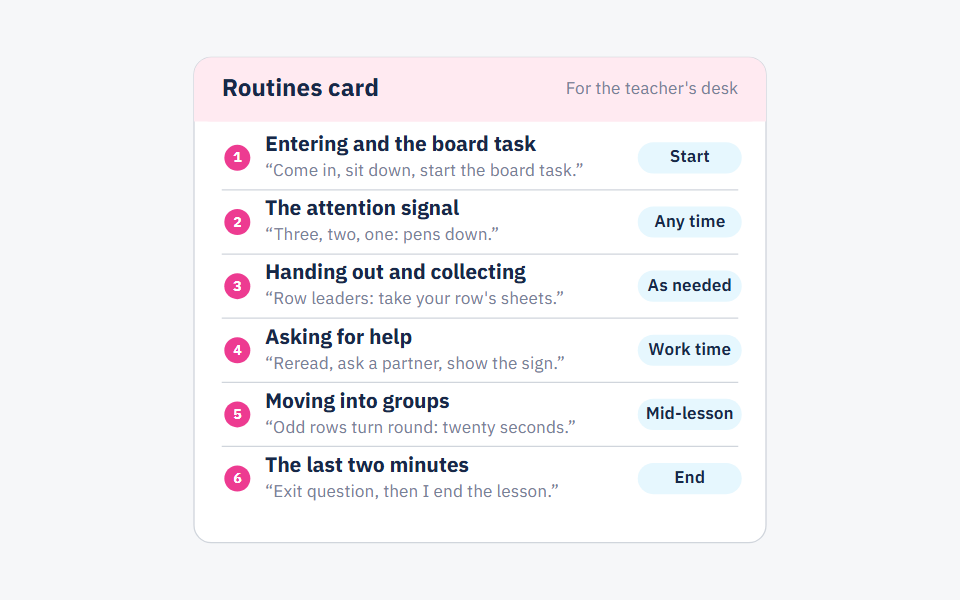
Three questions written on the board before students come in, answered in notebooks in the first five minutes. It is a small worksheet with no printer, and it applies the first of Rosenshine's principles: begin a lesson with a short review of previous learning. Six classroom routines shows how to make it a daily habit.
- Set-up (3 minutes): write the questions before the lesson, or put them on a slide if your lesson starts straight after another.
- In class (5 minutes): students do not copy the questions; they write the question number and the answer only.
- Paper still wins when: a question needs a diagram or a table the student would have to copy; copying it from the board takes all five minutes.
A full example: a fractions lesson on twenty sheets instead of forty
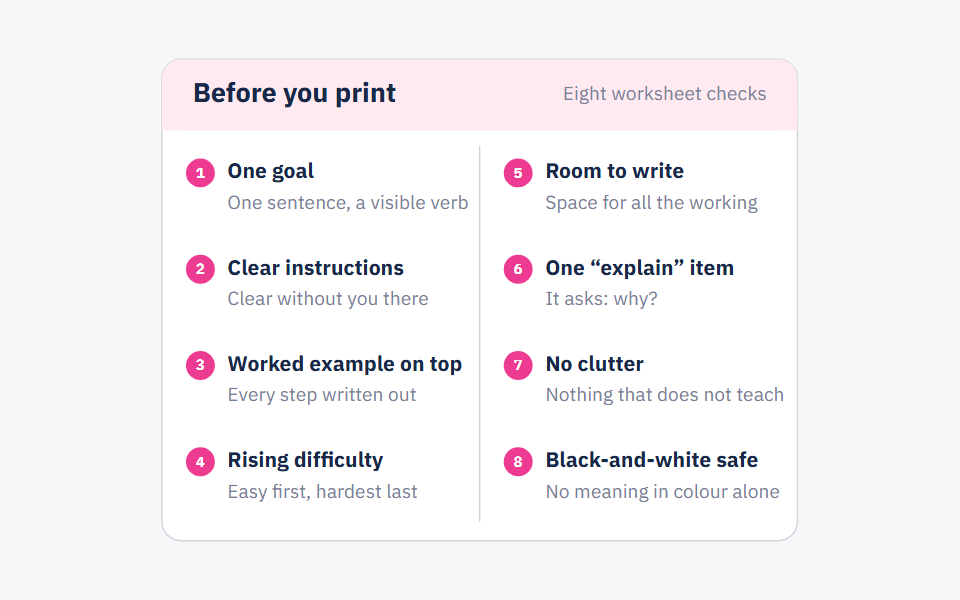
We took the worksheet from Eight rules before you print a worksheet — six problems on adding fractions, Grade 6 — and spread its problems across three of the five formats, in a 45-minute lesson for a class of 40. The example was written for this post, and it has no answer key.
| Part | Minutes | Format and activity | What is printed |
|---|---|---|---|
| Review | 5 | Board routine: write a fraction equal to with denominator 8. What is the least common multiple of 3 and 4? Add . | Nothing |
| Model with a worked example | 10 | The worked example from the top of the sheet, projected: | Nothing |
| Practice | 12 | Projected task: problems 1 to 4, one per slide, answered on boards or in notebooks | Nothing |
| Practice in groups | 13 | One sheet per group of four with the word problem and the “explain” item, roles written at the top | 10 sheets |
| Exit ticket | 5 | One projected question, each student answering alone on a quarter sheet | 10 sheets cut into quarters |
What changed from the printed sheet: the problems are the same, in the same order. What changed is where the answers go: boards and notebooks for the short problems, the shared sheet for the problem that needs discussion, and an individual slip only for the exit ticket, because that is what you need to see from every student. Twenty sheets in all, instead of forty.
When a printed sheet still wins
Printing is not always the wrong call. Print one per student in these cases:
- Practice that needs writing room: a construction with ruler and protractor, a graph on a grid, a table to fill in, or a long text to mark up. Copying any of these from a screen eats the practice time.
- Students without devices or internet: a link only works as homework if you know every student can open it. If you do not know, paper is fairer.
- Exams and tests that count: every student gets their own sheet, writes alone, and you keep their answers. Sharing here spoils what the test measures.
- A student who needs to read up close: anyone who struggles to read the screen from their seat gets a printed copy, even if the rest of the class works from the screen.
When these formats fail
All five fail when they move the cost of printing onto the student: if students copy the questions from the board before solving them, they have paid for your sheet with their time. The rule is that students write answers, not questions. A screen also fails when it cannot be read from the back row, or when the power goes out, so keep one printed copy for yourself to read the questions aloud if you need to.
If your school caps the copies each teacher can make, do the sums before the unit starts: which sheets need a copy per student, and which can be projected or shared per group — then spend your copies on the first kind.
Frequently asked questions
- How can I print fewer worksheets?
- Separate the questions from the answer space: project the questions or write them on the board, have answers go in notebooks or on mini whiteboards, and print one sheet per group when the task needs discussion. Keep a copy per student for practice that needs writing room, and for exams.
- What is a digital worksheet?
- A version of the worksheet that students open on a device from a link and answer directly, and that may mark some answers straight away. It works when there is at least one device per group and a stable internet connection.
- What if my classroom has no projector?
- Use the board: write three questions before the lesson, or print one sheet per group. They are the cheapest of the five formats, and neither needs electricity.
- Should every student get a printed copy of a test?
- Yes. A test that counts needs a sheet for every student, who writes on it alone, and you keep the answers.
Sources
Every fact in this post that we did not produce ourselves comes from one of these sources.
- Principles of Instruction: Research-Based Strategies That All Teachers Should Know (Barak Rosenshine) — American Educator, 2012 (Spring issue)
- Classroom Assessment: Minute by Minute, Day by Day — ASCD (Educational Leadership), 2005-11-01
- Teaching and Learning Toolkit: Collaborative learning approaches — Education Endowment Foundation, 2021-07 (review last updated)
- Teaching and Learning Toolkit: Homework — Education Endowment Foundation, 2021-08 (review last updated)
Written with String's editorial team: we use AI for research and first drafts, and a person checks every fact and every source before anything is published. How we write
Founder and CEO, String
“I grew up in a house of teachers.” I spent a year designing the STEM program for one of the largest school groups in Saudi Arabia, have written curriculum by hand, trained robotics coaches and sold software into schools, then left that job to build String in Amman.