A 30-minute staff session on AI
Thirty minutes is enough if half of it is hands-on: three minutes on why you are meeting, five on the student-data rule, fifteen in which every teacher writes a prompt for a real lesson and checks what comes back, five on the policy page and two on the next step. Here is the agenda by the minute, the prompt written out, and a page to print.
A 30-minute staff session on AI
A free printable PDF, no sign-up.
This agenda is for the principal or academic head who wants to give part of the next staff meeting to AI, without a lecture and without a day-long workshop. Thirty minutes, half of them hands-on, and every teacher leaves with three things: the school's rule on student data, a prompt they tried themselves for a real lesson, and the policy page in their hand.
In the US, many teachers are already using these tools before their schools say anything. In a Gallup and Walton Family Foundation survey published on 14 October 2026, 59% of 1,952 US K-12 educators said they had used AI tools in the 2025–26 school year. In another survey by the same two organisations, of more than 2,000 US public school teachers, only 18% of teachers reported receiving formal guidance from their school or district, and nearly half said any guidance they did receive was informal, as the local news site FingerLakes1.com reported on 28 May 2026. Those are US figures, and we know of no published equivalent for the Arab region. In the region, the Sharjah Private Education Authority in the UAE has introduced an ethical framework for AI use that sets expectations for students, teachers, school leaders, parents and IT teams, Khaleej Times reported on 21 October 2026.
- Definition
- A staff session on AI: A short slot inside the usual staff meeting in which every teacher hears the school's rule on student data and its policy, tries one prompt for a real lesson with their own hands, and checks what comes back.
The agenda, minute by minute
| Minutes | Part | What the principal does | What teachers do |
|---|---|---|---|
| 0–3 | Why we are here | Says in one sentence what the school wants: that every teacher knows the rule, and tries and checks for themselves | Each teacher writes on an unsigned slip: have you used an AI tool for your work this term? |
| 3–8 | The student-data rule | Reads the rule in the words written below, and shows a prompt on screen before and after the student data is removed | Listen, and ask one question if they have one |
| 8–23 | The hands-on task | Hands out the prompt card, moves between pairs, and at the end picks two pairs to say what they changed | In pairs at one device: write the prompt for next week's lesson, read what comes back, and check it with the three questions |
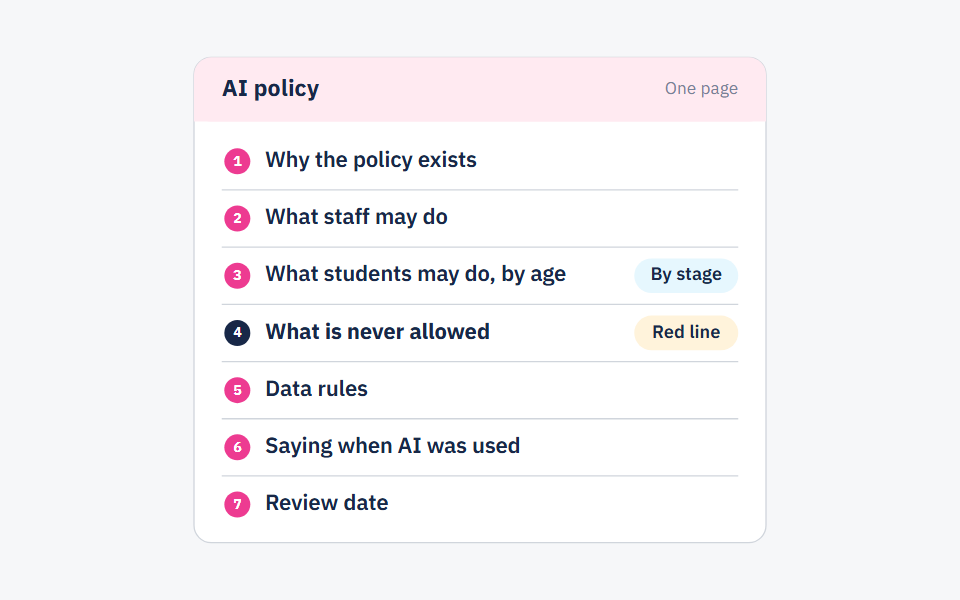
| 23–28 | The policy page | Hands out the page and reads three parts of it: what staff may do, what is never allowed, and the data rules | Write their questions on the exit card |
| 28–30 | The next step | Asks for one use in a real lesson within two weeks, and sets the department meeting where it will be shown | Write on the exit card: what will I try? What worries me? |
Why give half the time to the task? Because the Education Endowment Foundation's guide to implementation in schools (December 2019) recommends interactive training, with observation, discussion, demonstration of skills, deliberate practice and feedback, and opportunities for staff to reflect on their existing beliefs and practices in a non-threatening way. That is why the first question goes on an unsigned slip.
What to prepare before the meeting
- A tool the school has approved. UNESCO's guidance on generative AI in education, as reported by UN News on 7 September 2023, calls on educational institutions to validate these tools before students use them, and for the protection of data privacy to be mandated. So choose one tool whose terms you have checked against the student data questions. If you have no such tool yet, run the task on one screen from one account, with teachers writing the prompts together.
- The policy page, printed for every teacher. If the school has no policy yet, start from a one-page AI policy for your school, or hand out the data rule on its own and say when the policy will follow.
- The prompt card, printed. The prompt below with its blanks, and the three checking questions under it.
- One lesson title from each teacher. Two days before, ask every teacher to bring the title of a lesson they will teach next week. A task built on a real lesson gets used; a task built on an example gets forgotten.
- One device per pair, and a connection tested in the room itself.
- An exit card for every teacher, with two questions: what will I try? What worries me?
The hands-on task: one prompt for next week's lesson
Each pair writes the prompt and fills in its blanks in three minutes, reads what comes back in four, and checks it in five. In the last three minutes, two pairs say what they changed. That is the lesson of the whole meeting: what the tool writes is a draft, and checking it is the teacher's job.
The prompt: “You are a [subject] teacher for [grade]. Write five short questions that check students' understanding of the lesson [lesson title], ordered from easiest to hardest. With each question, give the correct answer and one common mistake students might make. Use language a student of this age understands, and stay within what the lesson covers.”
Check what comes back before you use it
- Is every fact and every answer correct?
- Is the level right for my own students?
- Does it match the set textbook, without going beyond the lesson?
- What is the one thing I changed? Write it down.
We chose short questions because they can be checked in five minutes, and a mistake in them shows quickly. The full check, with its five questions on facts, level, curriculum fit, bias and student data, is in lesson prep with AI: what to hand over and what to check yourself.
The student-data rule: say it in these words
| Before: do not write this | After: write this |
|---|---|
| “Write a letter to the father of [student's full name] in Grade 7B; he got 9 out of 20 in maths and has [a health condition].” | “Write a short letter to the parent of a Grade 7 student whose maths work has slipped this month. Suggest two steps the family can take at home, in a calm tone.” |
The teacher then adds the name in their own copy, outside the tool. All seven rules, each with a before-and-after example, are in what not to paste into AI tools: student data in seven rules; send it to staff after the meeting.
After the meeting: two weeks, and what the session cannot do
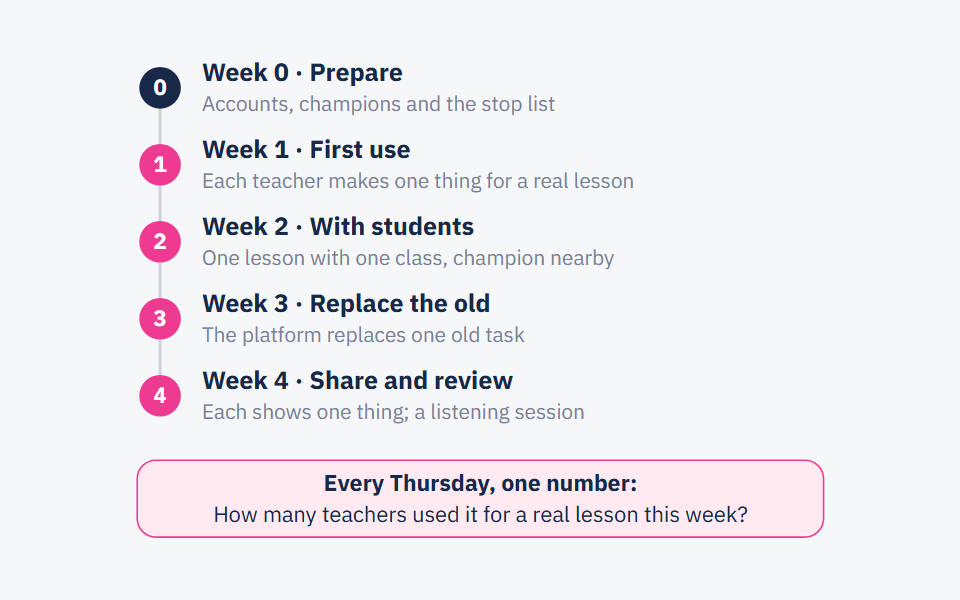
- Within two weeks: every teacher uses the prompt, or one like it, once for a real lesson, and brings to the department meeting an example with no student data in it, along with what they changed.
- Within a week: read the exit cards, answer every repeated question in writing, and add what is needed to the policy page at its review date.
- Thirty minutes is an introduction, not training. The EEF guide says training alone is unlikely to change what happens in class, and that follow-on support inside the school is what changes it. If the school decides to adopt a tool for all staff, follow the first 30 days plan.
- Do not make use compulsory, and do not imply it saves everyone time. In the same Gallup survey, 29% of those who used these tools said it made no difference to their time, and 7% said it cost them time. A teacher who tries it and decides not to use it is not behind anyone.
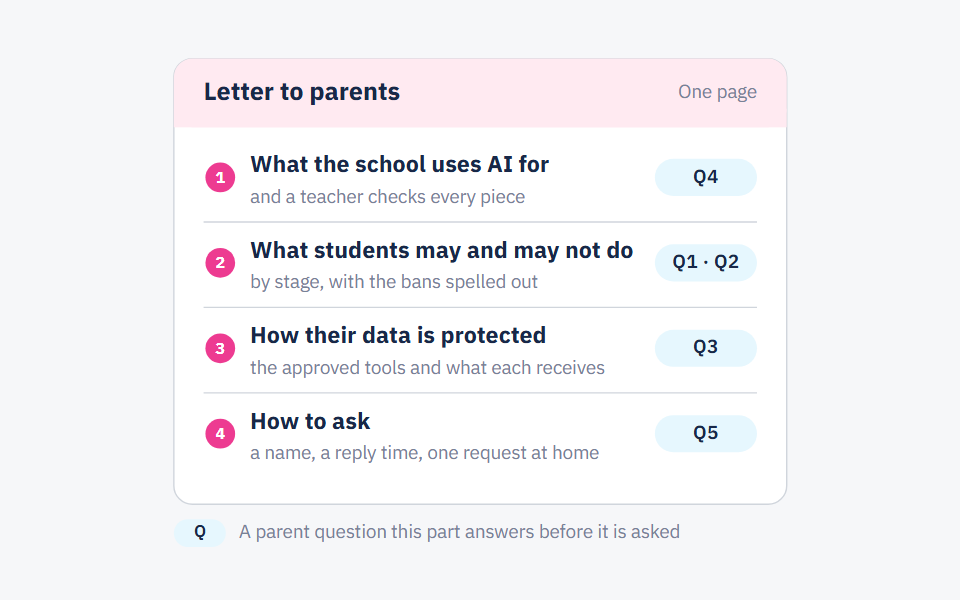
- And tell parents. The rule your teachers heard concerns their children too; what to say is in what your school should tell parents about its use of AI.
Frequently asked questions
- Is one meeting enough to train teachers on AI?
- It is enough for every teacher to know the rule and try once, not to become fluent. What comes after makes the difference: one use in a real lesson within two weeks, and an example shown at the department meeting.
- Which tool should we use in an AI staff training session?
- One tool whose terms and data handling the school checked before the meeting, not whatever each teacher picks in the room. If there is none yet, show the task on one screen from one account.
- What if the school has no AI policy yet?
- Hold the meeting anyway, hand out the student-data rule on its own, and say when the policy will follow. A ready one-page template is in the post on a school AI policy.
- Should we require teachers to use AI?
- Ask for one try in a real lesson, not ongoing use. For some teachers it saves no time, and the decision after the try is theirs.
Sources
Every fact in this post that we did not produce ourselves comes from one of these sources.
- Teachers Using AI Say It Frees Up Time for What Matters Most (Megan Brenan) — Gallup, with the Walton Family Foundation, 2026-10-14
- Most teachers get little formal guidance on AI use in classrooms, Gallup finds — FingerLakes1.com, 2026-05-28
- UNESCO calls for regulation of AI in schools (UNESCO guidance on generative AI in education) — UN News, 2023-09-07
- Putting Evidence to Work: A School's Guide to Implementation, second edition (Jonathan Sharples, Bianca Albers, Stephen Fraser and Stuart Kime) — Education Endowment Foundation (EEF), 2019-12
- Sharjah schools introduce new AI rules: What changes for homework and exams (Nandini Sircar) — Khaleej Times, 2026-10-21
Written with String's editorial team: we use AI for research and first drafts, and a person checks every fact and every source before anything is published. How we write
Founder and CEO, String
“I grew up in a house of teachers.” I spent a year designing the STEM program for one of the largest school groups in Saudi Arabia, have written curriculum by hand, trained robotics coaches and sold software into schools, then left that job to build String in Amman.